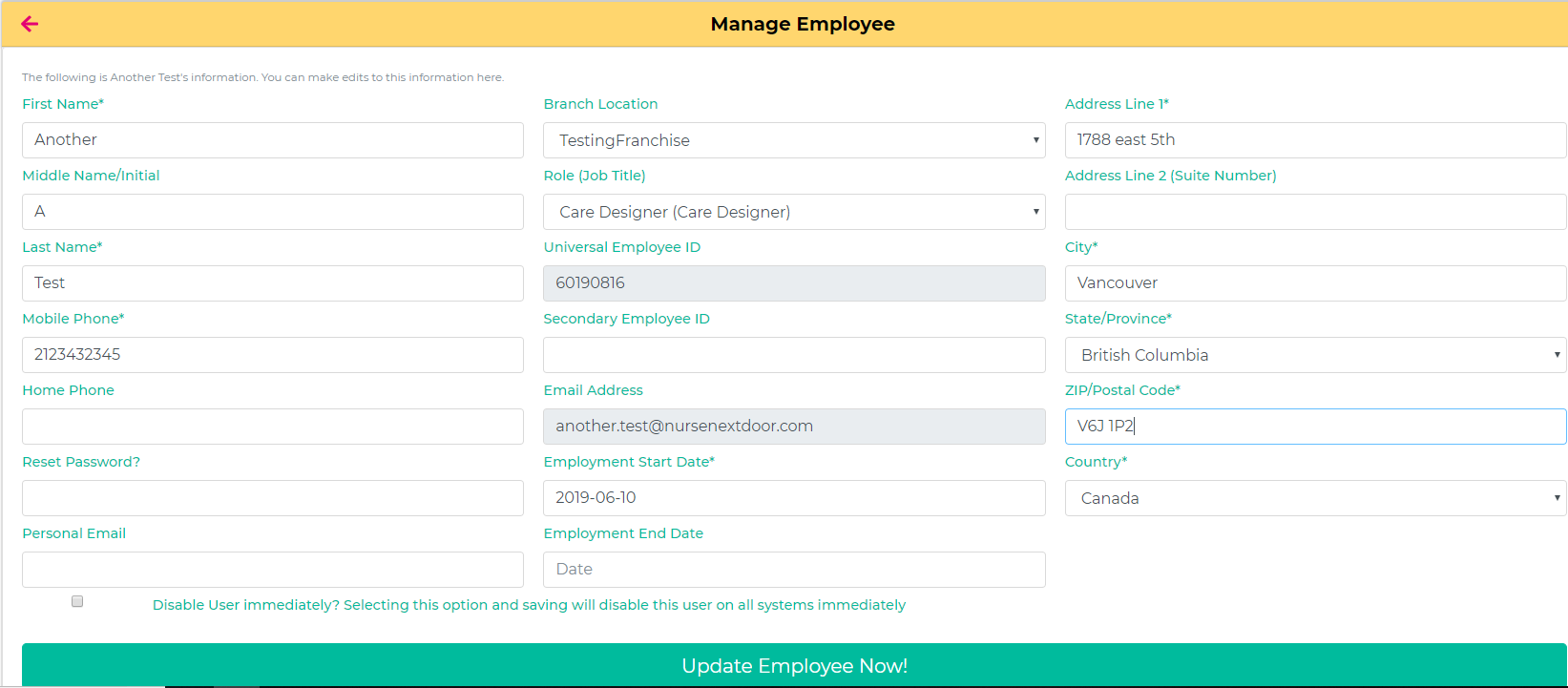
Disable user button - Is located on the bottom of the screen when you are in the "Edit Employee" window.
By clicking this button, and clicking "Update Employee Now", the users email address will be removed.
All "required" information must be entered before deleting an account.
If an email address is active for more than 20 days of a month, you will be charged for that email address.
It is the responsibility of the Franchise to remove users email addresses if they are no longer active in your location.
NOTE: Putting an account "On Hold" in Alayacare will not terminate the email and you will be still charged. The only way to remove an email is to use the console tool.
Important; Clicking this button will NOT terminate their Alayacare account. You must terminate or put an account "on hold" as a separate process in Alayacare.
When you terminate an employee in Alayacare you must select a reason “Why” you are terminating an employee.